
Video player for iPhone and iPad
Watch everything you own.
SuperWatcher plays nearly any video file, from MKV and HEVC to HDR, with every subtitle format. It feels right in your hands, and it remembers the moments that matter.
Your first 10 movies are free. Then once. No subscription.
Plays nearly anything
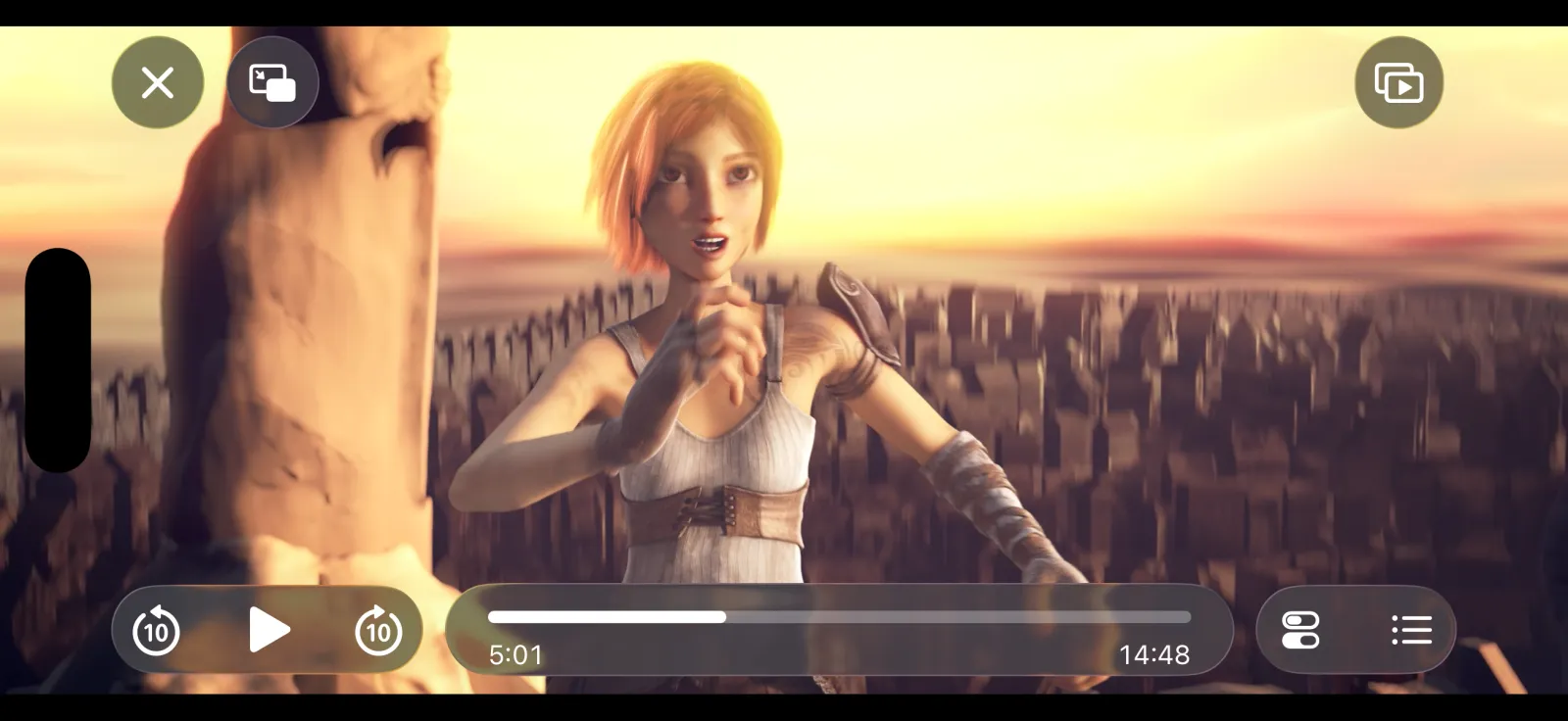
If it’s a video, it plays.
SuperWatcher is built on mpv and FFmpeg, the engines trusted by video enthusiasts everywhere. No converting, no “unsupported format”.
Containers
MKV, MP4, MOV, AVI, WebM, TS, M2TS, WMV and more
Video
H.264, HEVC, VP9, AV1, and HDR on HDR screens
Audio
Every track in the file: AAC, AC3, DTS, FLAC, Opus
Subtitles
SRT, ASS/SSA, VTT, and image subtitles like PGS
Notes
Keep the moments that matter.
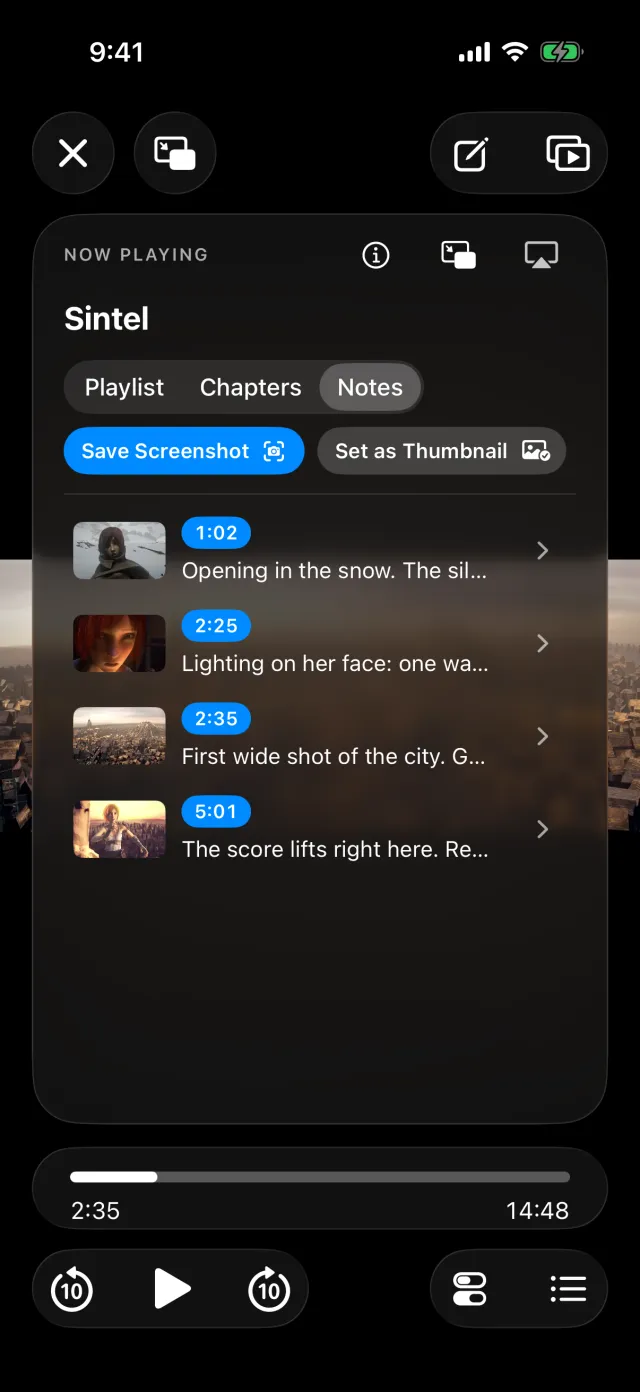
Tap Add Note while you watch. SuperWatcher saves the exact frame and the exact second, so your thought is pinned to the scene.
- 1CaptureThe frame and the time are saved the instant you tap.
- 2Write or talkType a note, or just say it. Voice notes are transcribed for you.
- 3Jump backTap any note to land on that exact moment again.
- See every note for a film, or across your whole library.
- Export to Markdown with the images, ready for your notes app.
- Great for film study, coaching, language learning, or remembering a favorite line.
Subtitles and audio
Subtitles, exactly how you like them.
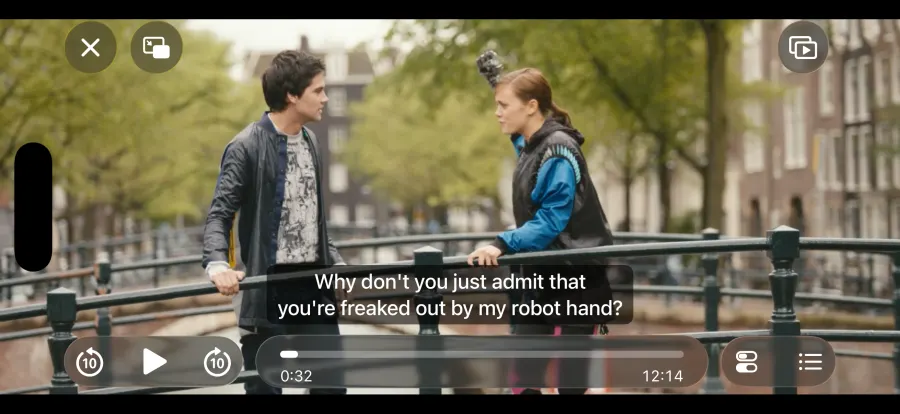
Switch between every audio and subtitle track in the file. Add your own from Files or a link, or search OpenSubtitles.com right in the player with your free API key.
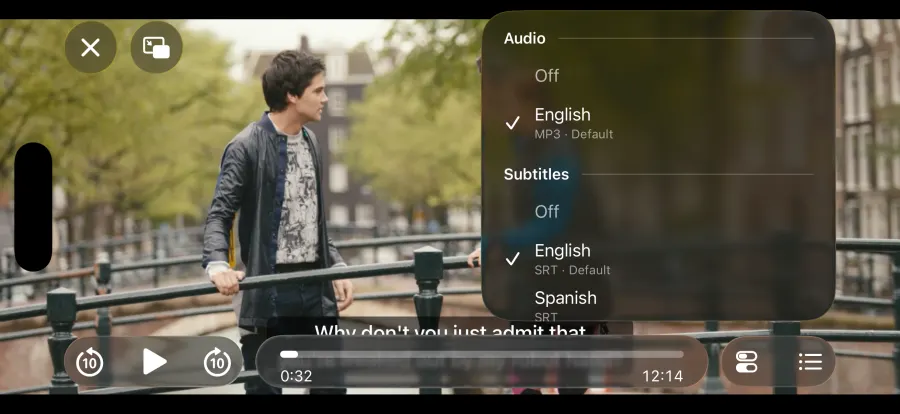
Fix timing
Out of sync? Shift subtitles in 0.1-second steps until they line up.
Two at once
Show a second subtitle track, like your language and the one you’re learning.
Make them yours
Choose the size, style and position, separately for portrait and landscape.
Gestures
Your fingers already know how.
The whole screen is a control. No tiny buttons, no menus mid-scene. Change or turn off any gesture in Settings.
-
Hold for 2×
Press and hold anywhere to zip through at double speed. Let go to return.
-
Swipe to seek
Slide left or right to scrub, and see exactly where you’ll land.
-
Double-tap to skip
Double-tap the left or right edge to jump back or ahead.
-
Brightness and volume
Swipe up or down on the left edge for brightness, on the right for volume.
-
Pinch to fill
Pinch to zoom the picture and fill the whole screen, edge to edge.
-
Save a frame
Swipe down with three fingers to save a clean still to Photos.
Library
Your videos, ready when you are.
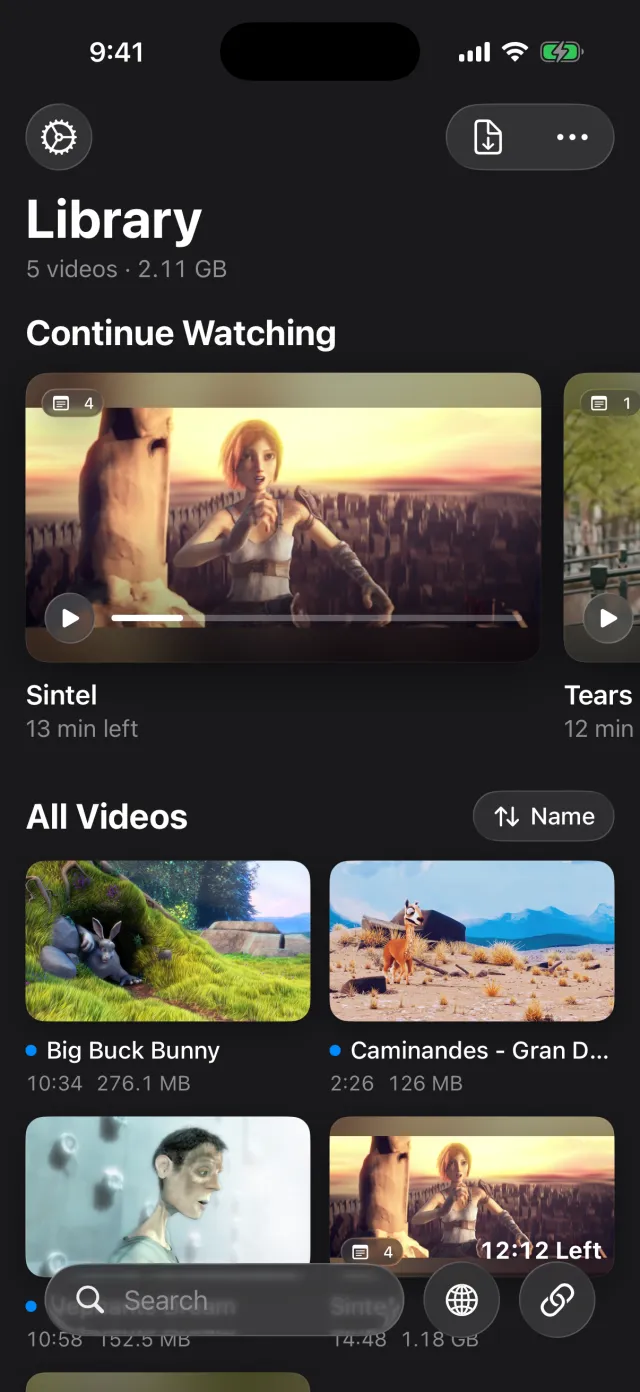
Continue Watching picks up exactly where you stopped. Bring videos in from anywhere you keep them.
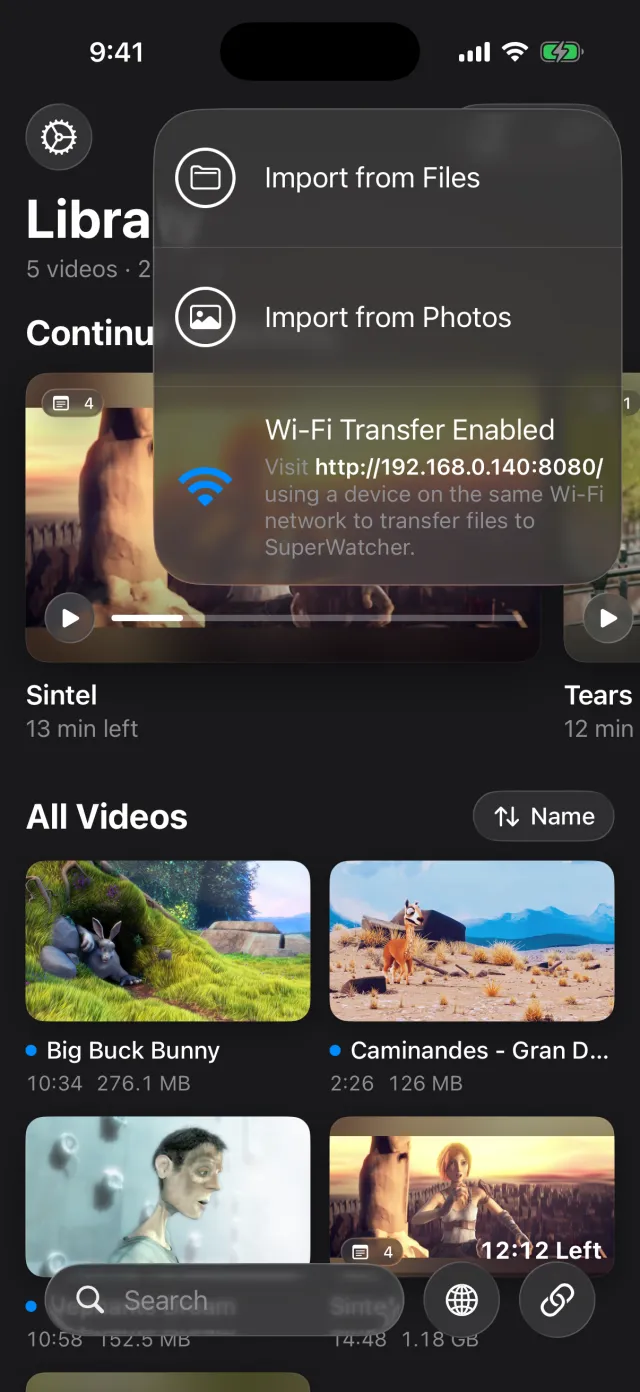
- Wi-Fi Transfer. Open the address on your computer and drag videos in. No cable, no cloud.
- Files and Photos. Import from iCloud Drive, a USB drive, a NAS, or your camera roll.
- Your own server. Paste a stream link from Plex, Jellyfin or Emby and it plays, or save it for offline.
- Share to SuperWatcher from Safari or any app to play a video link.
- Home videos
- Plex, Jellyfin, Emby
- NAS and SMB shares
- WebDAV
- DRM-free purchases
- Public-domain films
And the rest
Everything a great player should do.
-
AirPlay to your TV
Send it to Apple TV. Files your TV can’t play on its own, like MKV, are converted as they stream.
-
Picture in Picture
Keep watching in a small window while you reply to a message.
-
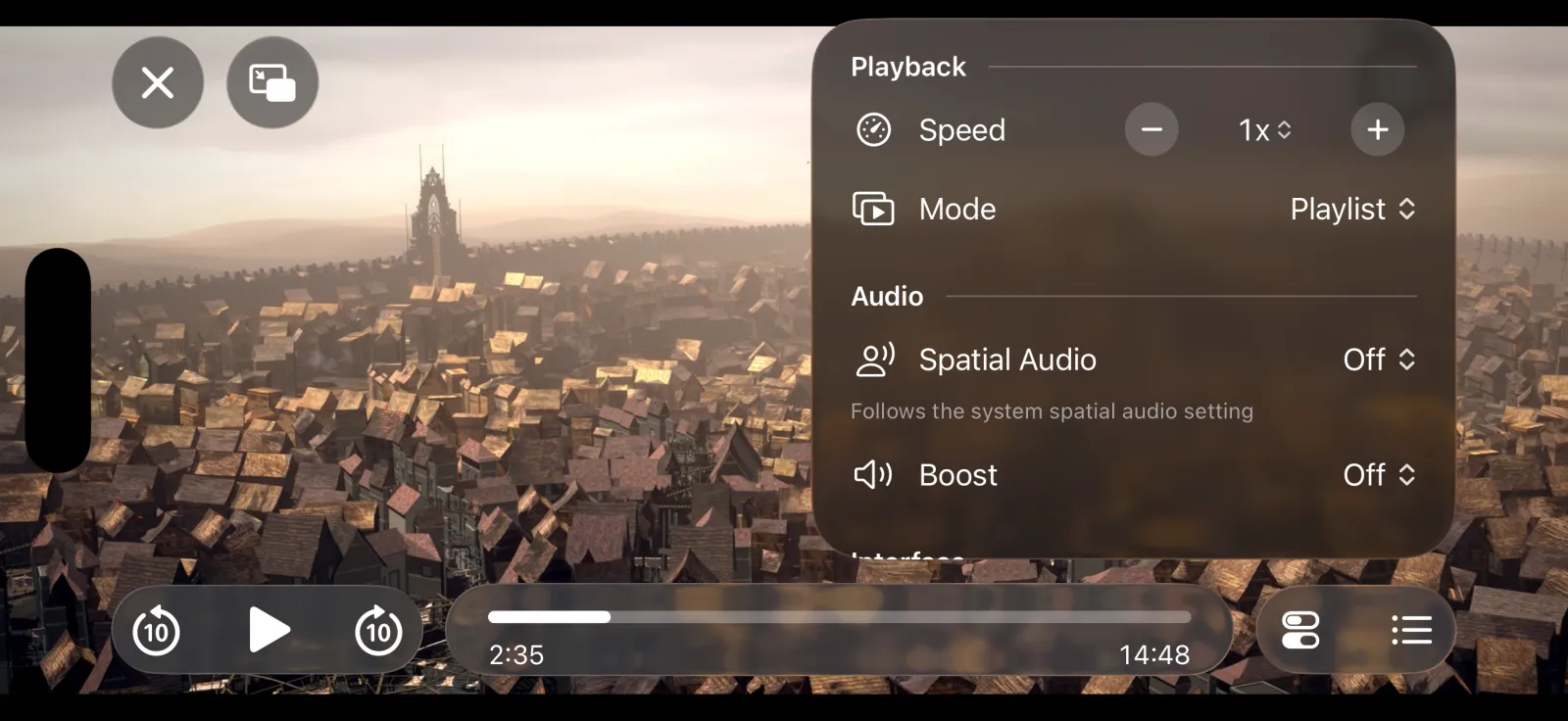
0.25× to 4×
Fine speed control in quarter steps, with pitch kept natural.
-
Volume boost
Quiet dialogue? Turn it up past the usual maximum.
-
Chapters and playlists
Jump between chapters, or let the next video play on its own.
-
Keeps playing
Lock your phone and keep listening, with controls on the Lock Screen.
Pricing
Try it free. Buy it once.
No subscription and no surprises. Every feature works from the very first movie, so you’ll know exactly what you’re getting.
Start
10 movies free
Watch your first 10 videos with nothing locked. A video counts once it has played for a minute.
- Every feature included
- A movie you’ve started always plays to the end
Then
once
One purchase unlocks SuperWatcher forever, on all your iPhones and iPads.
- Family Sharing included
- Your library, notes and settings never lock
- No subscriptionPay once, keep it
- No adsEver
- No accountJust open and watch
- No trackingYour videos stay on your device
Purchases are handled by Apple. Restoring a purchase takes one tap.
Press play on everything.
SuperWatcher is in public beta now. Join on TestFlight and tell us what you think.
Requires iOS 26 or later. iPhone and iPad.